
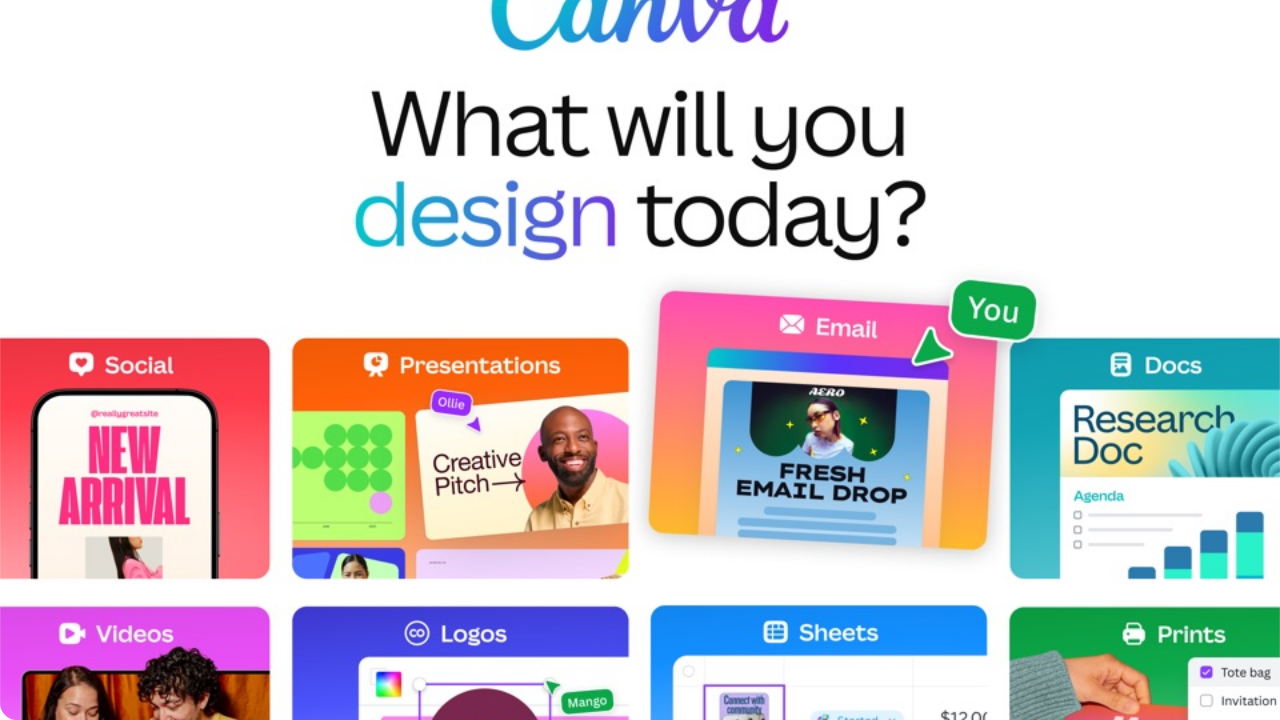
What is Canva and Why Has It Revolutionized Digital Design?
Founded in 2013 by Melanie Perkins, Cliff Obrecht, and Cameron Adams in Sydney, Australia, Canva was created with a mission to empower everyone in the world to design anything and publish anywhere. What began as a collaborative school yearbook publishing tool (Fusion Books) has expanded into the world’s most widely used cloud-native graphic design platform, supporting more than 170 million active monthly users across 190 countries.
Historically, creating polished visual assets required mastering complex, expensive desktop programs such as Adobe Photoshop, InDesign, or Illustrator—demanding months of specialized training and high-end hardware. Canva fundamentally disrupted this paradigm by bringing a frictionless drag-and-drop canvas directly into web browsers and native apps, backed by a massive repository of pre-sized templates, vector graphics, typography pairings, and royalty-free stock media.
In 2026, Canva is no longer just a basic banner creator; it has evolved into the full Canva Visual Suite, integrating multi-track video editing, collaborative presentations, AI text-to-image/video generation (Magic Studio), dynamic whiteboards, interactive PDF editors, and print merchandise on demand.
Canva’s Major Graphic Design Features & Capabilities
Canva’s feature ecosystem spans across every facet of modern digital communication. Below are the foundational tools that define the platform:
Social Media Content Creation
Pre-calibrated canvas dimensions for Instagram Stories, TikTok 9:16 reels, YouTube banners, LinkedIn carousels, and Pinterest pins with automatic safe-zone guides.
Interactive Presentations & Decks
High-impact pitch decks, keynote presentations, and educational slide decks with presenter notes, audience live Q&A, dynamic data charts, and remote control sync.
Posters, Flyers & Physical Print
CMYK print-ready PDF export with bleed and crop marks, plus direct Canva Print ordering for business cards, hoodies, vinyl banners, and custom tote bags delivered to your door.
Canva Docs & PDF Conversion
Visual-first document editor allowing seamless embedding of interactive whiteboards, videos, and charts, plus full drag-and-drop PDF editing with optical font recognition.
Magic Resize & Multi-Channel Output
Turn a single master graphic into 20+ different platform dimensions (Facebook, IG, X, LinkedIn, Billboard) with one click without distorting text or image layouts.
No-Code Website & Bio-Link Builder
Build responsive one-page landing pages, portfolio sites, and custom link-in-bio pages with custom domains, password protection, and built-in visitor traffic analytics.
Canva AI and Magic Studio™: Real-World Testing & Utility
In late 2023 and throughout 2024–2026, Canva introduced and refined Magic Studio, integrating proprietary and industry-leading diffusion and large language models (including partners like Runway and OpenAI) directly into the creative workflow. Unlike standalone AI generators that produce isolated images, Canva weaves AI directly into layout composition.
Breakdown of Core Magic Studio AI Tools:
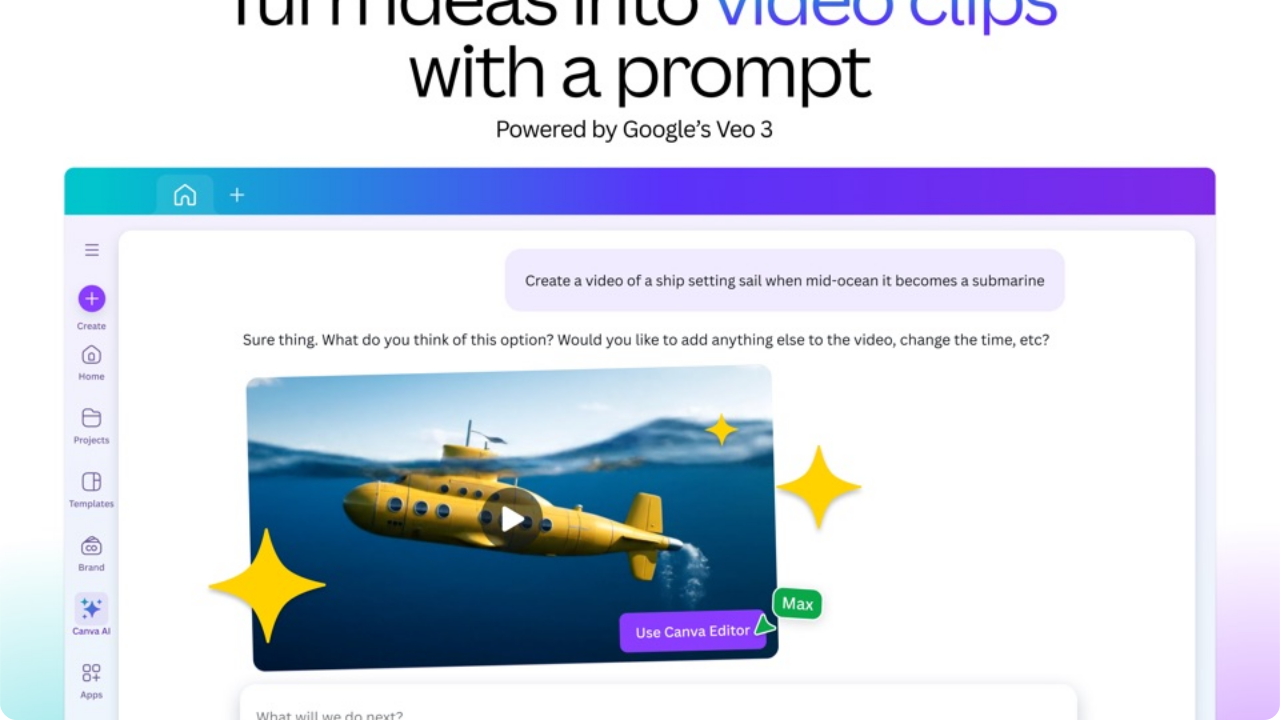
Generates custom photorealistic illustrations, 3D renders, anime artwork, or 4-second video clips from natural language descriptions. In our lab testing, image prompt adherence was exceptionally high for marketing concepts, icons, and product backdrops. (Free accounts receive 50 lifetime credits; Pro users receive 500 monthly queries).
One of the most impressive productivity tools: it can convert an entire 15-slide pitch deck into a detailed executive summary document, an email draft, or a blog post outline in seconds. Additionally, it translates all text elements across your designs into over 100 languages while preserving font styles and layout positions.
Magic Grab allows you to click on any person or object in a flat JPG or PNG photo, pull them off the background as an independent layer, and reposition or resize them seamlessly. Magic Expand uses generative outpainting to uncrop tight photos, filling in matching skies, rooms, or landscapes.
Integrated across Canva Docs, presentations, and whiteboards, Magic Write acts as an on-canvas copywriting partner for drafting headlines, rewriting bullet points for brevity, expanding outlines, or generating social captions tailored to your custom Brand Voice.
Templates & The 100M+ Asset Library
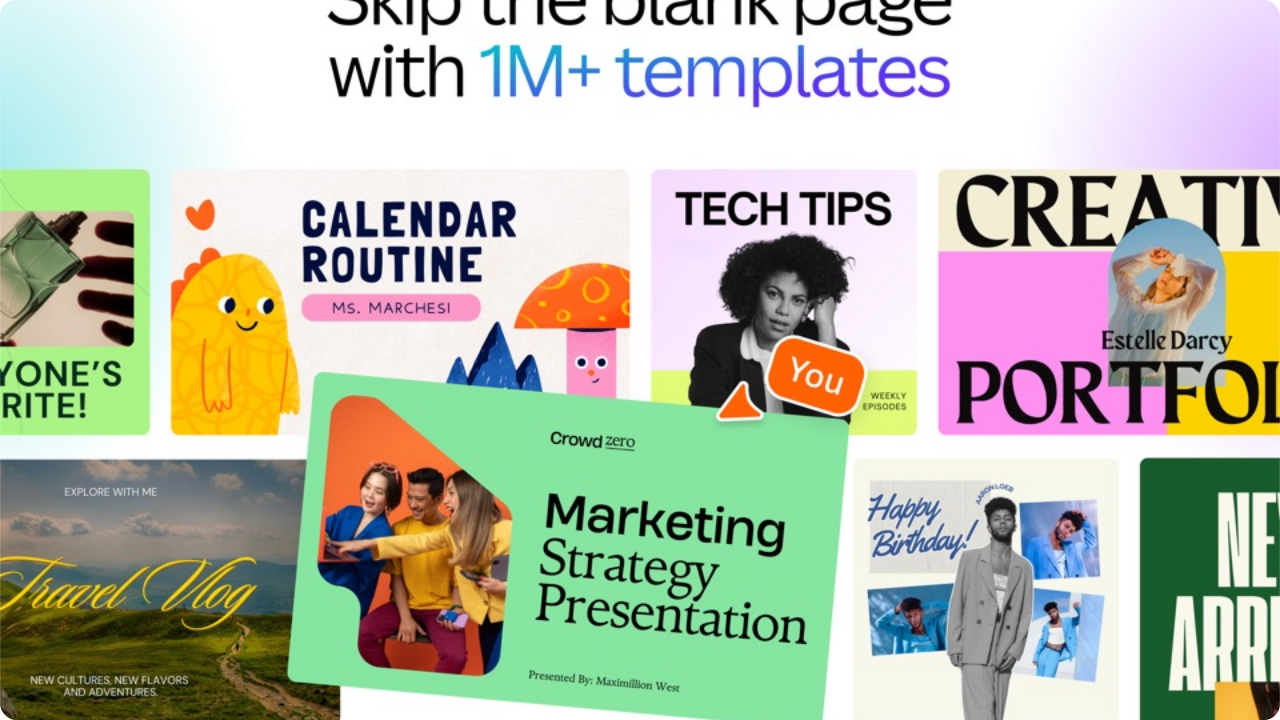
The true secret to Canva’s dominance is its vast, curated library of over 100 million stock photos, vectors, audio clips, fonts, and ready-to-edit templates. Rather than facing an intimidating blank white canvas, users can search for exact business niches—such as "Dental Clinic Instagram Reel", "Fintech Series A Pitch Deck", or "Vintage Coffee Shop Menu"—and instantly start customizing a professionally structured layout.
Unlike amateur template repositories, Canva enforces rigorous typographic hierarchy, color contrast guidelines, and responsive spacing across its creator community submissions. Beginners can simply swap out placeholder text and replace photos using drag-and-drop image frames, ensuring the final graphic looks balanced, modern, and commercially viable.
Photo and Video Editing: How Does It Compare to Traditional Software?
Canva’s video and photo editing capabilities have matured substantially. While it does not aim to replace specialized non-linear editors like Adobe Premiere Pro or DaVinci Resolve for Hollywood film mastering, it provides unbeatable speed and efficiency for 95% of social media, corporate, and educational video projects.
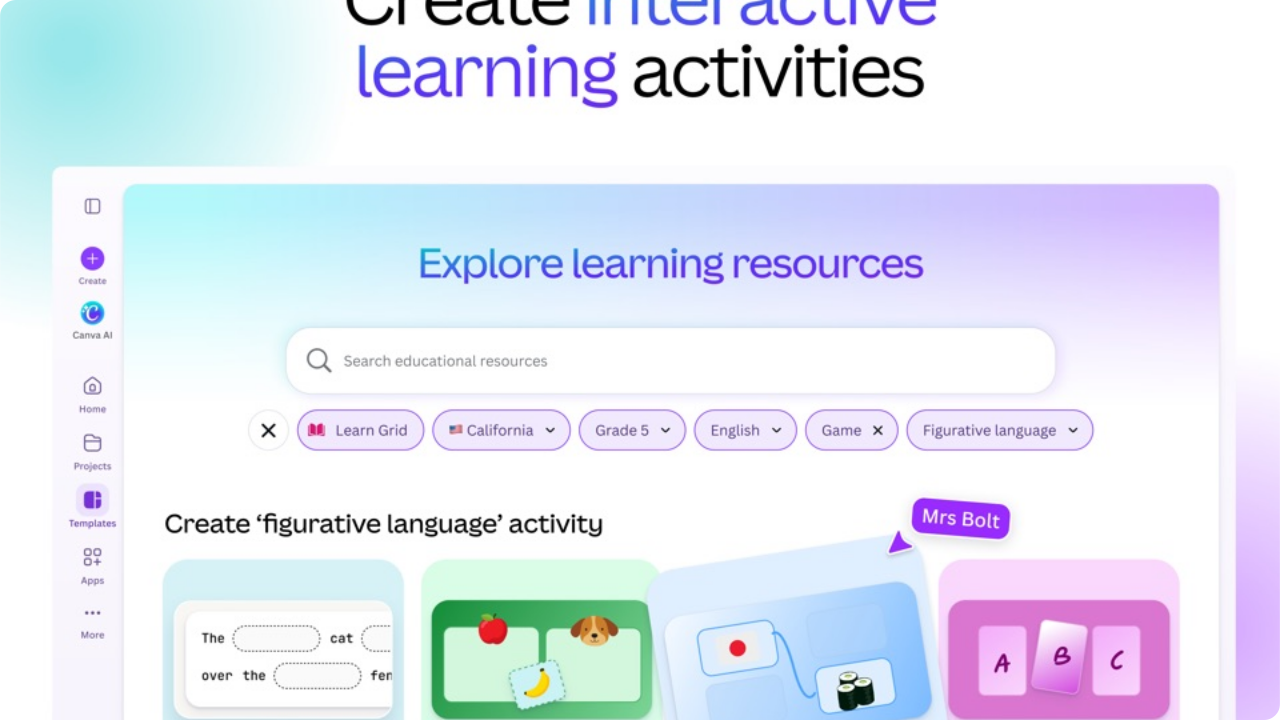
Photo Editing Strengths
- • 1-Click Background Remover: Unrivaled subject cutouts with clean edge hair detection.
- • Auto Enhance: One-tap exposure, white balance, and contrast optimization.
- • Smart Mockups: Place your screenshots on realistic 3D iPhones, MacBooks, and mugs.
- • Duotone & Color Grading: Modern filters and creative stylized color curves.
Video Editing Strengths
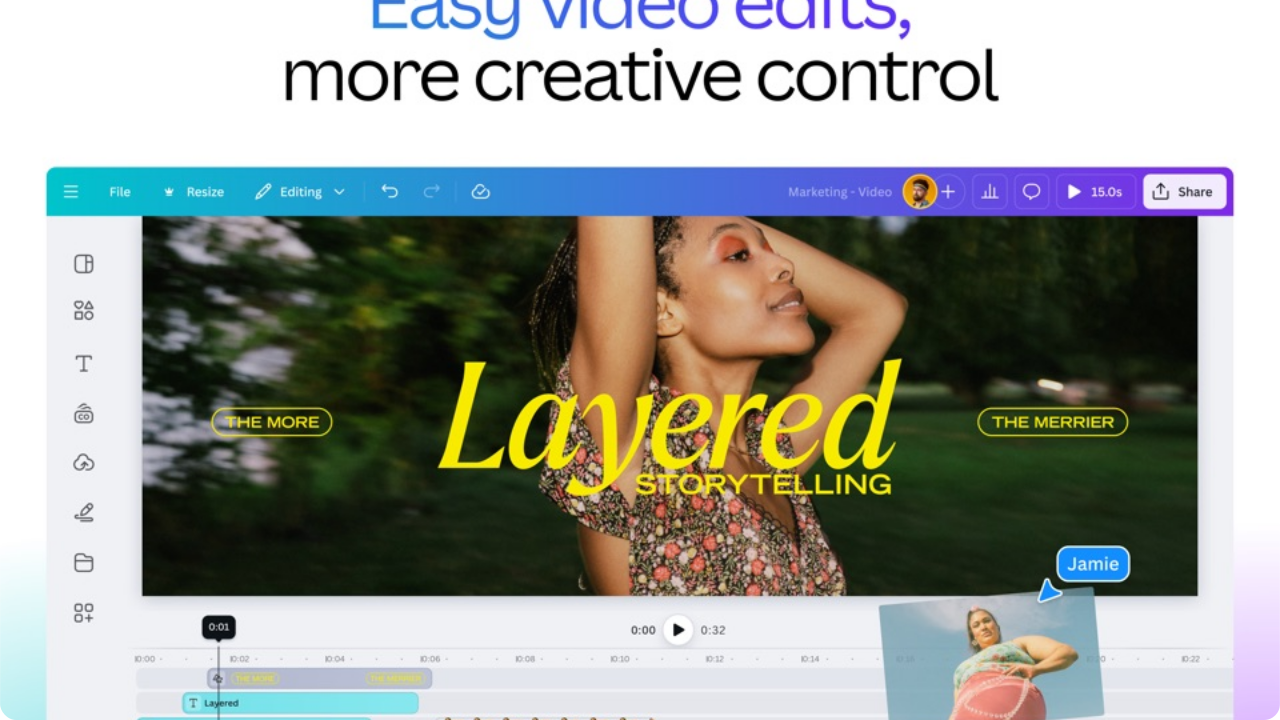
- • Multi-Track Timeline: Layer multiple video clips, B-roll, voiceovers, and music.
- • Beat Sync: Automatically snap video cuts to the musical beats of the soundtrack.
- • Animated Text & Transitions: Cinematic wipes, dissolves, and kinetic typography.
- • 4K UHD 60fps Export: Crisp, watermark-free high-definition MP4 output.
Presentations, Canva Docs & Business Collateral
Canva has positioned itself as a major rival to Google Slides, Microsoft PowerPoint, and Word through its visual-first document suite. Canva Presentations offer smooth slide-to-slide morph animations, interactive chart widgets (linking live to Google Sheets), and built-in Presenter View that lets you view talking points on a private screen while displaying clean slides to the audience.
Meanwhile, Canva Docs reimagines traditional word processing by allowing users to insert visual elements, live polling, Magic Write text blocks, and interactive embeds. Using the "Docs to Decks" feature, you can write an outline or project plan in Canva Docs and click one button to instantly generate a matching, formatted slide deck presentation.
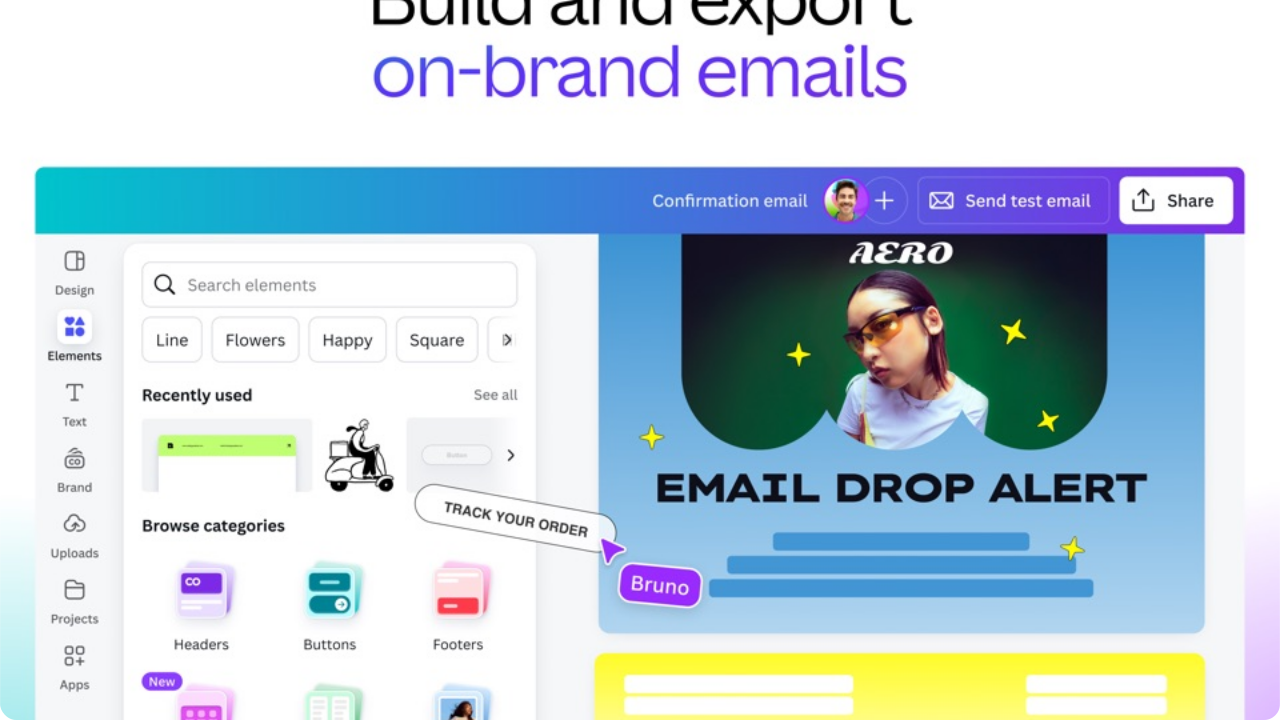
Team Collaboration, Permissions & Brand Kit Management
For marketing teams, agencies, and expanding businesses, maintaining strict brand consistency across multiple non-designer team members is a major challenge. Canva resolves this with its centralized Brand Kit and multi-user governance architecture.
Key Brand & Enterprise Governance Capabilities:
Free vs. Canva Pro: Comprehensive Feature & Pricing Comparison
Canva operates on a transparent freemium model. The free tier is remarkably functional, but Canva Pro unlocks the full creative engine. Here is a clear, unbiased comparison:
| Feature / Capability | Canva Free | Canva Pro ($14.99/mo) | Canva for Teams |
|---|---|---|---|
| Template Library | 1 Million+ Free | 100 Million+ Premium | 100 Million+ Premium |
| Stock Photos, Videos & Audio | 3 Million+ Assets | 100M+ Royalty-Free Assets | 100M+ Royalty-Free Assets |
| Background Remover (Photo & Video) | ✕ Not Included | ✔ Unlimited 1-Click | ✔ Unlimited 1-Click |
| Magic Studio AI Tools | 50 Lifetime Credits | 500 Monthly Credits | 500 Credits/user/mo |
| Magic Resize & Multi-Format | ✕ Manual resizing only | ✔ Unlimited 1-Click | ✔ Unlimited 1-Click |
| Brand Kits & Custom Fonts | ✕ 1 palette (3 colors) | ✔ Up to 100 Brand Kits | ✔ Unlimited + Brand Controls |
| Cloud Storage Capacity | 5 GB Cloud Space | 1 TB (1,000 GB) | 1 TB Shared per User |
| Social Media Content Planner | ✕ Not Included | ✔ Direct Auto-Publishing | ✔ Direct Auto-Publishing |
| Transparent PNG & SVG Vector Export | ✕ JPG / standard PNG | ✔ Transparent PNG & SVG | ✔ Transparent PNG & SVG |
As of 2026, Canva Pro costs approximately $14.99 per month billed monthly, or $119.99 per year (an effective rate of ~$9.99/mo, saving ~16% with annual billing). Canva for Teams is priced at around $100/year for the first 3 team members. Prices may vary by international local currency, taxes, and promotional periods.
🎓 Free for Education & Nonprofits: Canva for Education is 100% free forever for verified K-12 educators and students. Canva for Nonprofits provides 100% free Pro access for up to 10 team members of eligible 501(c)(3) charities.
Canva Pros and Cons: A Realistic Assessment
- ✔ Zero Learning Curve: Anyone can create high-grade visual content within 5 minutes without technical design knowledge.
- ✔ Unmatched 100M+ Asset Depth: Massive library of stock photos, videos, audio tracks, vector stickers, and animations included in Pro.
- ✔ Magic Studio AI Productivity: 1-click background removal, Magic Switch, and generative image tools eliminate hours of repetitive work.
- ✔ Universal Cross-Platform Cloud Sync: Works seamlessly across web browsers, Mac, Windows desktop, iPad, iPhone, and Android.
- ✔ Real-Time Team Multiplayer: Simultaneous co-designing, comments, approval workflows, and Brand Kit locking.
- ✔ Outstanding Free Plan & Education Program: Generous free tools, plus completely free Pro licenses for K-12 teachers and non-profits.
- ✕ No Advanced Vector Pen / Bezier Tool: You cannot draw custom vector curves or create bespoke logo typography from scratch.
- ✕ Limited Raster Photo Retouching: Lacks high-end frequency separation, channel masking, or raw camera development tools found in Photoshop.
- ✕ Requires Active Internet Connection: While mobile apps offer cached previews, full editing and AI features require online connectivity.
- ✕ AI Generation Monthly Quota: Magic Media generative queries are capped at 500 requests per month per Pro account.
- ✕ Template Ubiquity: Very popular templates can occasionally look recognizable if not customized with unique brand elements.
Who Should Use Canva?
Canva is ideally suited for individuals and organizations that need high-quality visual output quickly and reliably without the overhead of complex software:
Create click-worthy thumbnails, Instagram Reels, TikTok graphics, and channel branding in minutes.
Design marketing flyers, social ads, menus, invoices, and branded merchandise without hiring an agency.
Maintain consistent brand visual identity, schedule posts across multiple accounts, and batch resize assets.
Build engaging lesson plans, educational worksheets, visual presentations, and virtual classrooms for free.
Generate Pinterest infographics, blog hero covers, eBooks, lead magnets, and media kits effortlessly.
Collaborate on customer pitch decks, one-pagers, white papers, and brand-locked collateral with live sharing.
Who Should NOT Use Canva? (When to Choose Pro Software)
Honest reviews require acknowledging technical boundaries. While Canva is an extraordinary tool, there are specific professional disciplines where specialized desktop software is required:
If your primary workflow involves creating custom vector geometry from scratch with micro-precise anchor points, Bezier handles, and pathfinder compound operations, Adobe Illustrator or Affinity Designer remains the essential standard.
If you need deep raw camera profile developing, frequency separation for magazine-cover skin retouching, complex luminance masking, or CMYK color separation proofing, Adobe Photoshop or Capture One is necessary.
For multi-hundred-page novels or technical magazines with dynamic master page indices, Adobe InDesign is superior. For interactive software wireframes, component design systems, and responsive prototype handoffs to developers, Figma is the industry leader.
Top Canva Alternatives Compared
How does Canva stack up against other prominent design solutions in 2026? Here is a head-to-head comparison:
Adobe Express
Closest CompetitorPros: Direct integration with Adobe Creative Cloud assets, Photoshop raster engine, and Adobe Firefly generative AI with commercial indemnification.
Canva Advantage: Canva has a significantly larger template ecosystem, faster drag-and-drop workflow, and superior team Brand Kit management.
Figma
Best for UI/UXPros: Industry-standard auto-layout, interactive click-through prototyping, design tokens, and developer code inspection.
Canva Advantage: Canva offers millions of pre-made marketing templates, print ordering, and built-in stock photos without having to build assets from scratch.
Slidesgo
Best for Slide DecksPros: 15,000+ dedicated Google Slides and PowerPoint decks with native Freepik illustrations and Flaticon icons.
Canva Advantage: Canva is a full multi-media visual suite (social, video, print, docs) whereas Slidesgo focuses strictly on presentation decks.
Adobe Photoshop / Illustrator
Industry Pro StandardPros: Infinite technical control, custom Bezier vector paths, precision color grading, advanced typography kerning.
Canva Advantage: 10x faster turnaround speed for marketing graphics, zero training required, and integrated cloud collaboration.
Final Verdict: Is Canva Worth It in 2026?
The Verdict: Essential Creative Software
Canva is undeniably one of the most transformative digital productivity platforms of the modern era. By eliminating technical barriers and integrating 100M+ royalty-free stock assets with state-of-the-art Magic Studio AI, it democratizes high-end visual design for non-designers and dramatically accelerates workflow for seasoned marketing professionals.
Frequently Asked Questions About Canva (2026 FAQ)
What is Canva?
Canva is an intuitive cloud-based graphic design platform and visual suite that allows anyone—from complete beginners to marketing teams—to create professional social media graphics, presentations, videos, posters, flyers, documents, and websites without requiring traditional graphic design training.
Is Canva free to use?
Yes. Canva offers a generous 100% free plan forever that includes over 1 million free templates, hundreds of thousands of free stock photos and graphics, basic photo and video editing, and 5GB of cloud storage. Canva Pro unlocks 100+ million premium assets, Magic Studio AI tools, Brand Kits, and 1TB storage.
Is Canva Pro worth the money?
Canva Pro is widely considered one of the highest-value subscriptions for content creators, small businesses, freelancers, and marketers. For around $14.99/month (or $119.99/year), you get unrestricted access to 100M+ premium stock assets, one-click Background Remover, Magic Switch, Brand Kits, unlimited resizing, and social media scheduling.
Is Canva good for beginners?
Yes. Canva is specifically engineered with an intuitive drag-and-drop user interface and pre-built templates, making it exceptionally easy for beginners to start producing polished, high-resolution visual designs within minutes with zero prior technical knowledge.
Can Canva be used for video editing?
Yes. Canva features a robust multi-track video editor with timeline trimming, audio beat synchronization, voiceovers, video background removal, animated transitions, sound effects, and 4K UHD video export, ideal for YouTube shorts, TikToks, Reels, and corporate video promos.
Does Canva have AI tools?
Yes. Canva Magic Studio includes a comprehensive collection of AI tools: Magic Media (text-to-image and text-to-video), Magic Switch (instant format and language translation), Magic Grab (isolating photo subjects), Magic Eraser, Magic Expand, Magic Write (AI copywriting), and Magic Animate.
Is Canva better than Photoshop?
Canva and Photoshop serve different purposes. Canva is much faster, easier to learn, cloud-collaborative, and packed with ready templates for rapid marketing and social media output. Photoshop is a specialized pixel-level raster editing tool superior for complex photo manipulation, digital painting, and intricate layer masking.
What are the best Canva alternatives?
Leading alternatives to Canva include Adobe Express (for Firefly AI integration and Adobe Creative Cloud syncing), Figma (for UI/UX and collaborative vector design), Slidesgo (for dedicated Google Slides and PowerPoint presentation templates), and Adobe Photoshop/Illustrator (for professional desktop graphics).
Reviewed by PlayNewApps Design & Software Lab
Expert VerifiedOur editorial lab independently tests and evaluates software applications across real-world performance benchmarks, feature completeness, and user experience. When you purchase or sign up via links on our site, we may earn an affiliate commission at no extra cost to you.