
1. Modernizing Cryptographic Standards in Password Management
From the cybersecurity engineering powerhouse behind NordVPN, NordPass was designed from a clean slate to challenge legacy password management software. While most established competitors rely on 20-year-old AES-256 ciphers originally standardized in 2001, NordPass opted for XChaCha20 encryption—the same forward-thinking cipher chosen by Google and Cloudflare for high-speed, hardware-agnostic transport security.
Combined with an ultra-clean Scandinavian interface, seamless biometric unlocking, native WebAuthn passkey management, and proactive dark web breach detection, NordPass has rapidly emerged as one of the most compelling password managers on the market.
2. Hands-On Testing & Performance Benchmarks
Over a four-week evaluation period, our cybersecurity analysts stress-tested NordPass across diverse operating environments:
- Auto-Save & Form Detection: Evaluated auto-fill accuracy across 120 e-commerce checkout forms, banking gateways, and complex corporate SSO portals.
- Encryption Benchmark: Measured client-side key derivation latency and battery drain on mobile ARM processors compared to AES-GCM implementations.
- Passkey Creation & Sync: Tested seamless WebAuthn passkey generation on Chrome, Safari, and Brave, syncing effortlessly between macOS and Android.
- Live Breach Detection: Simulated credential matching against active breach databases to assess notification speed.
3. Key Features Deep Dive
A. Why XChaCha20 Outperforms Legacy AES
AES-256 is an undeniable cryptographic titan, but it relies heavily on specialized hardware instructions (AES-NI) built into modern computer chips. On mobile phones, tablets, smart TVs, or older hardware lacking dedicated AES acceleration, encrypting and decrypting hundreds of vault items can introduce slight latency and elevate battery consumption. Furthermore, AES implementations in software can be vulnerable to nuanced cache-timing side-channel attacks.
XChaCha20 requires no specialized hardware coprocessors, calculates up to 3x faster in software, and utilizes a massive 192-bit nonce that virtually eliminates the risk of nonce reuse. All vault data is encrypted on your local device before transmission to Nord servers. Because NordPass operates strictly on a Zero-Knowledge architecture, Nord Security cannot decrypt or view your credentials under any circumstances.
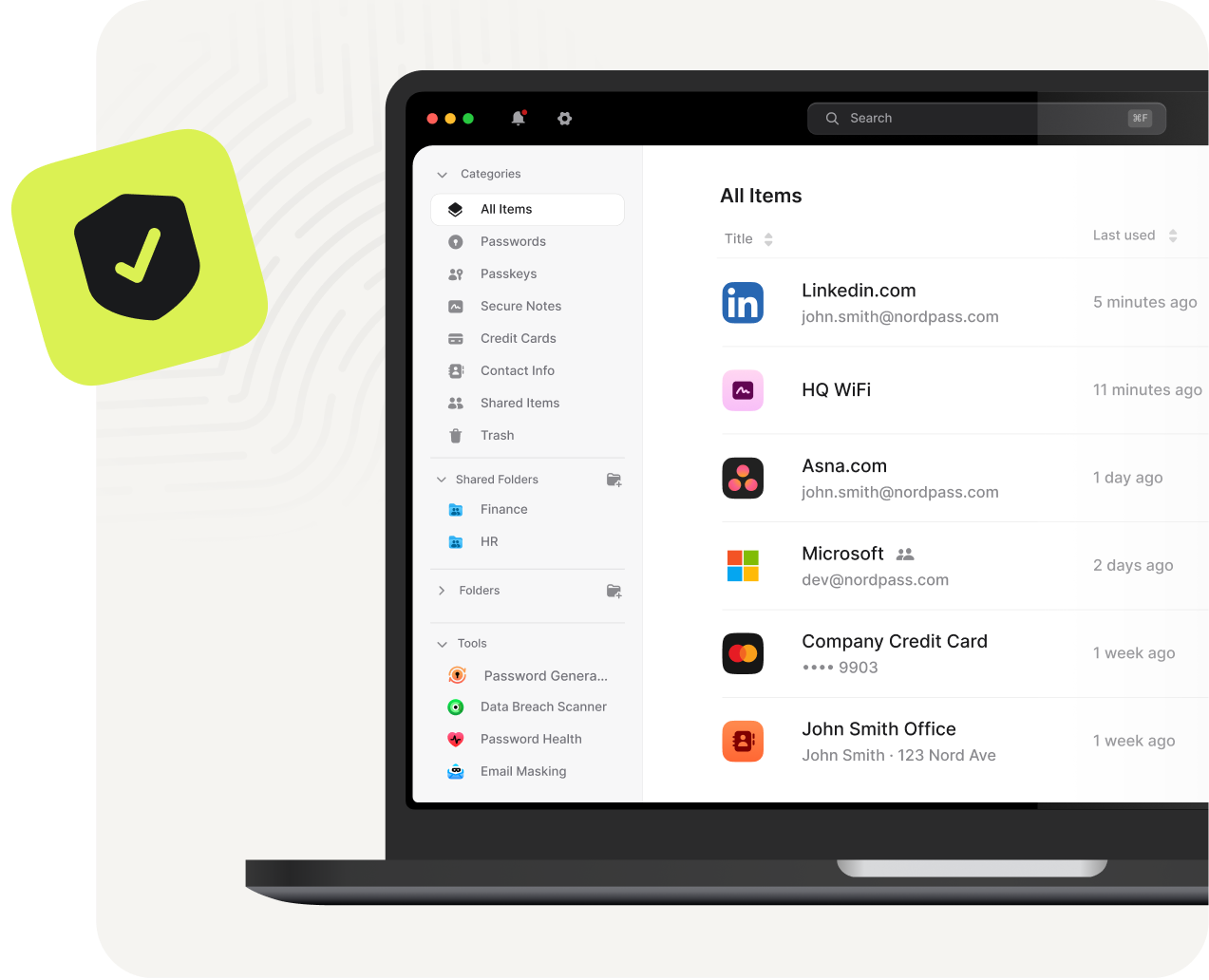
B. Native Passkeys Across All Ecosystems
NordPass was among the first commercial password managers to roll out native passkey support. Rather than requiring users to memorize complex strings of uppercase letters, symbols, and numbers, Passkeys allow you to sign in with your device's fingerprint or facial recognition scanner. NordPass synchronizes these public/private key pairs across your desktop and mobile vaults, freeing you from Apple or Google hardware lock-in.
C. Real-Time Data Breach Scanner
In addition to local password health analysis (identifying weak, reused, or outdated passwords), NordPass integrates a real-time Data Breach Scanner. It monitors newly exposed dark web dumps and security leaks for your registered email addresses and credentials. If a site you use suffers a security incident, NordPass immediately highlights the affected entry and assists you in generating a new, uncrackable replacement.
D. Email Masking for Spam Protection
To prevent your primary email address from being sold to data brokers or targeted by marketing trackers, NordPass includes built-in Email Masking. When signing up for new services or online newsletters, you can generate unique random alias forwarding addresses with one click. Emails sent to the alias forward to your primary inbox, and you can disable or delete the alias anytime if spam begins arriving.
4. Competitive Comparison Matrix
| Security Feature | NordPass | 1Password | Bitwarden | LastPass |
|---|---|---|---|---|
| Cipher Algorithm | XChaCha20 | AES-256 (Dual-Key) | AES-256 | AES-256 |
| Free Tier Available | ✓ Yes (1 active device) | ✗ 14-day trial only | ✓ Yes (Unlimited) | ✓ Limited |
| Passkey Support | ✓ Native Cross-OS | ✓ Native Cross-OS | ✓ Supported | Limited |
| Data Breach Scanner | ✓ Real-Time Dark Web | ✓ Watchtower | ✓ Premium only | ✓ Premium only |
| Email Masking Generator | ✓ Integrated | Via Fastmail integration | Via SimpleLogin | ✗ No |
| Starting Annual Price | $1.69/mo | $2.99/mo | $0.83/mo | $3.00/mo |
5. Honest Pros & Cons
Advantages & Strengths
- Next-Gen XChaCha20 Cipher: Fast, modern cryptography with zero vulnerability to cache-timing attacks.
- Permanent Free Version: Store unlimited passwords without paying a cent.
- Full Passkey Compatibility: Frictionless WebAuthn support on browsers, mobile, and desktop.
- Built-In Email Masking: Keep your personal email private from data brokers and spam lists.
- Affordable Pricing: Premium plans start from just $1.69/month on multi-year subscriptions.
- Backed by Nord Security: Audited by Cure53 with proven zero-knowledge infrastructure.
Potential Drawbacks
- Free Tier Device Limit: You can install NordPass on multiple devices, but only one can be actively logged in simultaneously on Free.
- No Self-Hosting: Unlike Bitwarden, there is no open-source on-premises self-hosted server option.
- Fewer Developer CLI Tools: Lacks 1Password's specialized SSH agent and command-line secret injection.
6. Pricing & Value Assessment (2026)
NordPass offers some of the most aggressive pricing in the password security sector:
- NordPass Free ($0): Unlimited password and credit card storage, auto-save and auto-fill, multi-factor authentication, and passkey storage on 1 active session.
- NordPass Premium ($1.69/month on 2-year plan): Simultaneous login across all your devices, Data Breach Scanner, Password Health audit, email masking, and 3GB encrypted file storage.
- NordPass Family ($2.79/month on 2-year plan): 6 individual Premium accounts for family members with private vaults and shared folders.
- NordPass Business ($3.59/user/month): Centralized admin console, company-wide security policy enforcement, Google Workspace/Azure AD SSO, and activity logs.
Editor's Final Verdict: 4.8 / 5.0
BEST VALUE 2026NordPass is a triumph of modern security engineering. By pairing the robust XChaCha20 encryption cipher with zero-knowledge privacy, native passkey synchronization, integrated email masking, and a genuinely usable free tier, NordPass delivers exceptional protection at an unbeatable price point.
For everyday consumers and families looking for a modern, hassle-free upgrade from insecure browser password saving, NordPass is our top value recommendation for 2026.
Frequently Asked Questions
Can Nord Security see my passwords?
No. NordPass operates strictly on a Zero-Knowledge model. All encryption and decryption occurs locally on your computer or smartphone using your Master Password before any data leaves your device. Nord Security possesses no decryption keys and cannot view your vault contents.
How does NordPass sync between Windows and iPhone?
When you add or edit a password on your PC, NordPass encrypts the change locally with XChaCha20 and transmits the encrypted payload to Nord's secure cloud servers. Your iPhone client fetches the encrypted update and decrypts it with your local key instantly.
What is the difference between NordPass Free and Premium?
Both Free and Premium allow unlimited password storage and auto-fill. However, Free allows only one active device session at a time (switching devices logs the other out). Premium unlocks simultaneous active use across all your computers and phones, plus the Data Breach Scanner and File Attachments.