

1. The State of Credential Security in 2026
Password security is undergoing its most dramatic paradigm shift in thirty years. Between automated credential stuffing attacks, relentless AI-driven phishing campaigns, and massive database leaks from corporate servers, relying on memorable passwords or basic browser-based auto-fill is no longer viable for security-conscious professionals or modern households.
1Password, developed by Canadian cybersecurity firm AgileBits, has stood as the benchmark for premium password management for two decades. Unlike traditional cloud password managers that rely solely on a single master passphrase, 1Password is architected around a rigorous Dual-Key Zero-Knowledge framework. Even if a threat actor intercepts your master passphrase, your encrypted vault remains mathematically uncrackable without your physical 128-bit Secret Key.
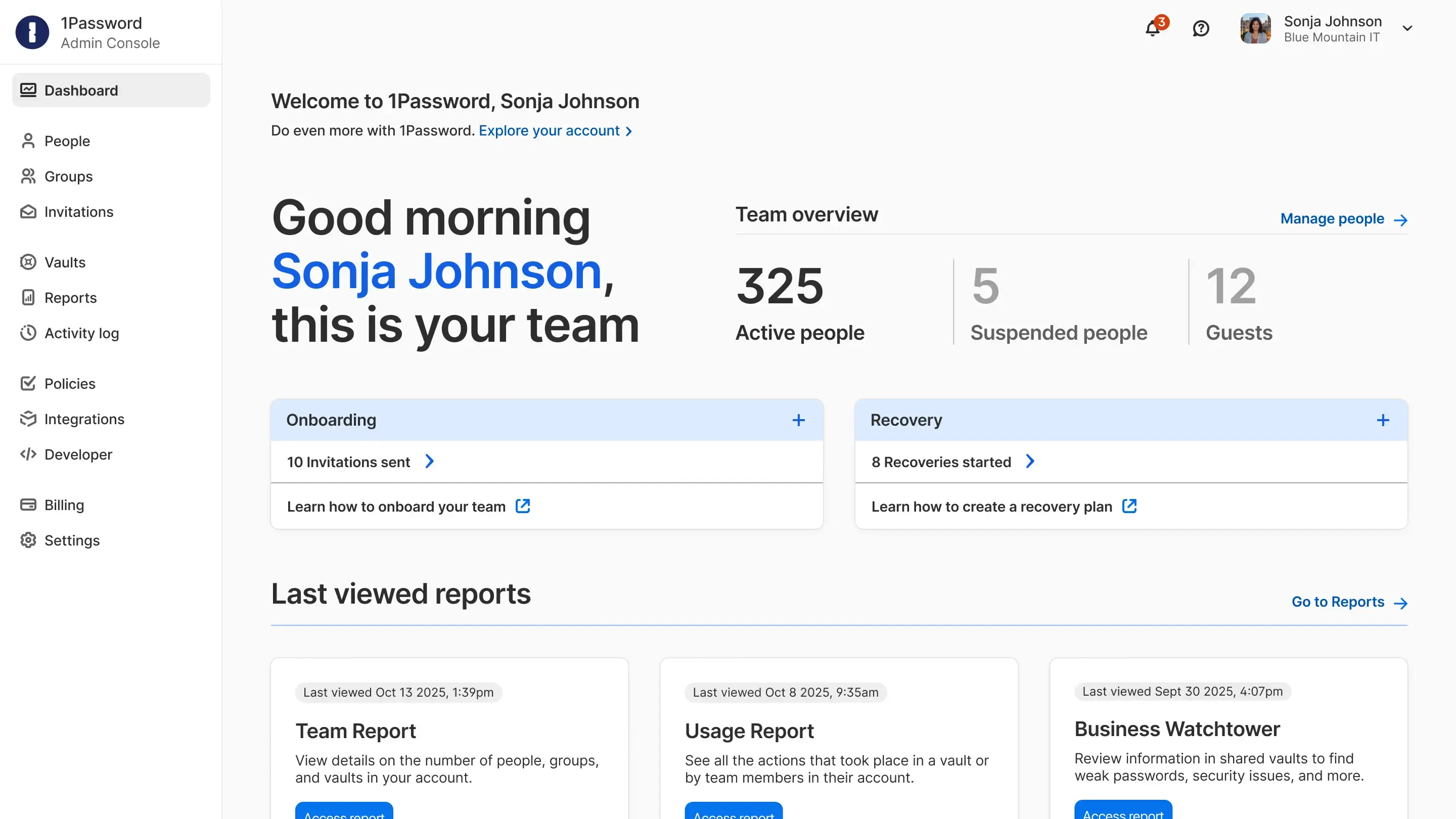
In our comprehensive 2026 evaluation, we put 1Password through rigorous hands-on testing across macOS Sequoia, Windows 11, iOS 18, Android 15, and Linux. We examined its rapid transition into passkey-native authentication, its proactive Watchtower breach intelligence, developer CLI integration, and its family sharing controls.
2. Hands-On Testing Methodology & Benchmarks
To accurately assess 1Password against contemporary alternatives like Bitwarden, NordPass, Apple Keychain, and Dashlane, our testing protocols simulated both individual workflow stress and enterprise-grade security demands:
- Cryptographic Resistance: Analyzing the client-side derivation of vault encryption keys using Argon2id/PBKDF2 combined with the 128-bit Secret Key.
- FIDO2 Passkey Usability: Registering and authenticating biometric passkeys across Google, GitHub, Amazon, and enterprise Single Sign-On (SSO) portals.
- Auto-Fill Accuracy & Anti-Phishing: Testing 1Password across 150 diverse login forms, including multi-step login flows, iframes, dynamic JavaScript popups, and intentionally crafted fake phishing domains.
- Watchtower Breach Response Time: Monitoring compromised credential alerts against newly released database breach telemetry.
- Cross-Platform Synchronization Latency: Measuring synchronization speed between desktop clients, browser extensions, and mobile hardware over cellular and high-latency satellite networks.
3. Key Features Deep Dive
A. Dual-Key Encryption: The Secret Key Advantage
Most commercial password managers encrypt your vault using a key derived exclusively from your Master Password. If you pick a mediocre password or fall victim to a sophisticated keylogger, your entire vault can be deciphered once downloaded by an attacker. 1Password permanently eliminates this single point of failure through its patented Secret Key.
When you create an account, 1Password generates a cryptographically random 128-bit string on your local device. This key is stored in your personal Emergency Kit PDF and installed on each authorized device. When authenticating with 1Password servers, your encryption key is derived using both your Master Password and this Secret Key. Even if quantum computers or supercomputing clusters brute-force your passphrase against captured server ciphertext, the mathematical entropy of 128 bits makes offline cracking impossible.
B. Native Passkeys & WebAuthn Integration
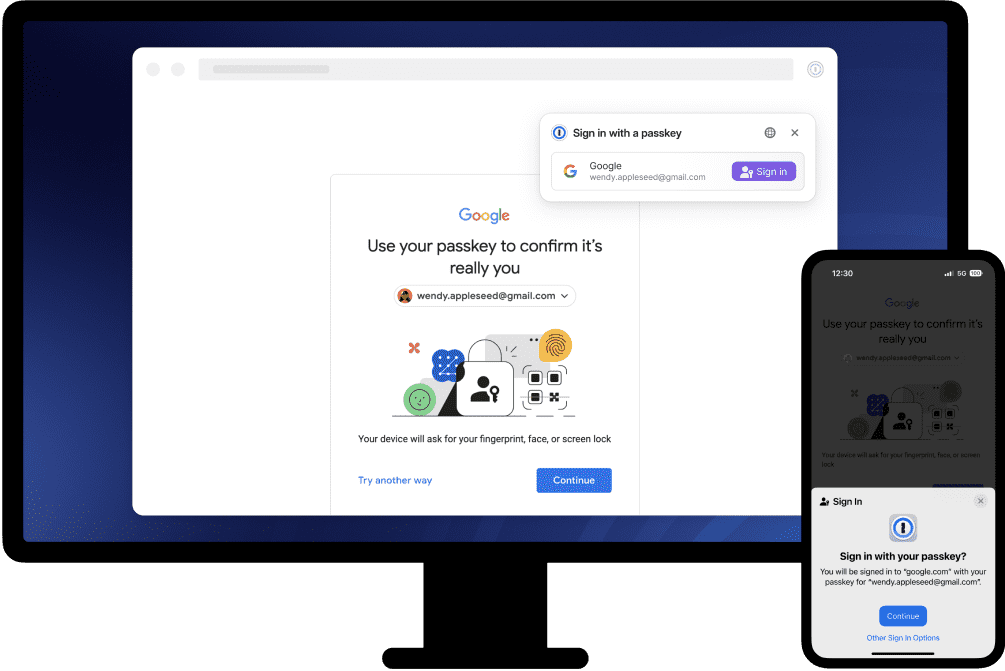
Passwordless authentication via Passkeys (based on FIDO Alliance WebAuthn standards) is the future of digital identity. While Apple and Google lock passkeys within their respective proprietary ecosystems, 1Password provides true cross-platform passkey interoperability.
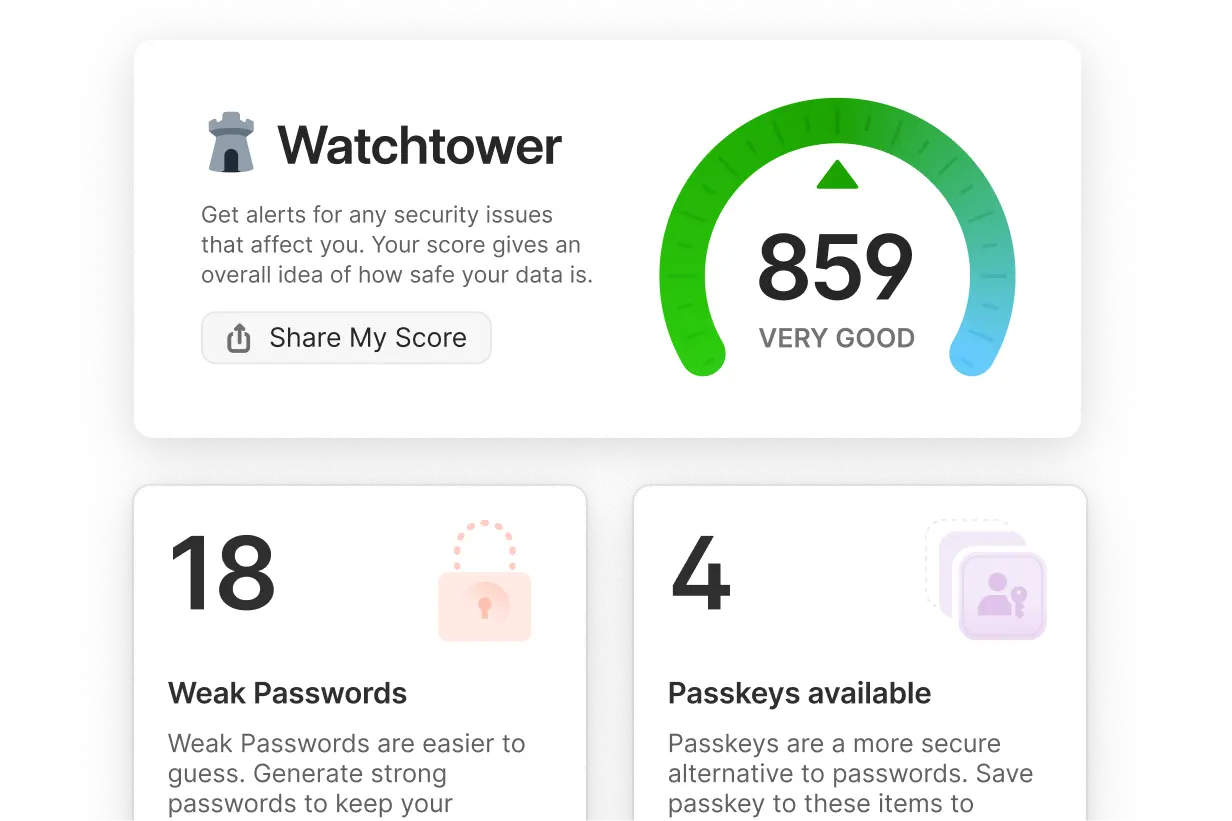
During our testing, creating a passkey on a Mac allowed immediate biometric authentication on an Android phone and a Windows PC. 1Password stores the private cryptographic keys inside your end-to-end encrypted vault, backed up and synced seamlessly. Furthermore, 1Password displays which of your stored accounts support passkey upgrades directly inside Watchtower.
C. Travel Mode: Physical Device Protection at Border Crossings
One of 1Password's most innovative privacy features is Travel Mode. In many jurisdictions, border agents and customs officials possess the legal authority to inspect digital devices or demand passcodes. When Travel Mode is activated in your 1Password web portal, every vault not explicitly designated as "Safe for Travel" is physically purged from your laptops and smartphones.
There is no lingering cache, hidden folder, or encrypted trace on the machine. Once you clear customs and reach your destination safely, turning Travel Mode off in your browser instantly restores your confidential vaults with a single sync.
D. Secure Item Sharing with Anyone
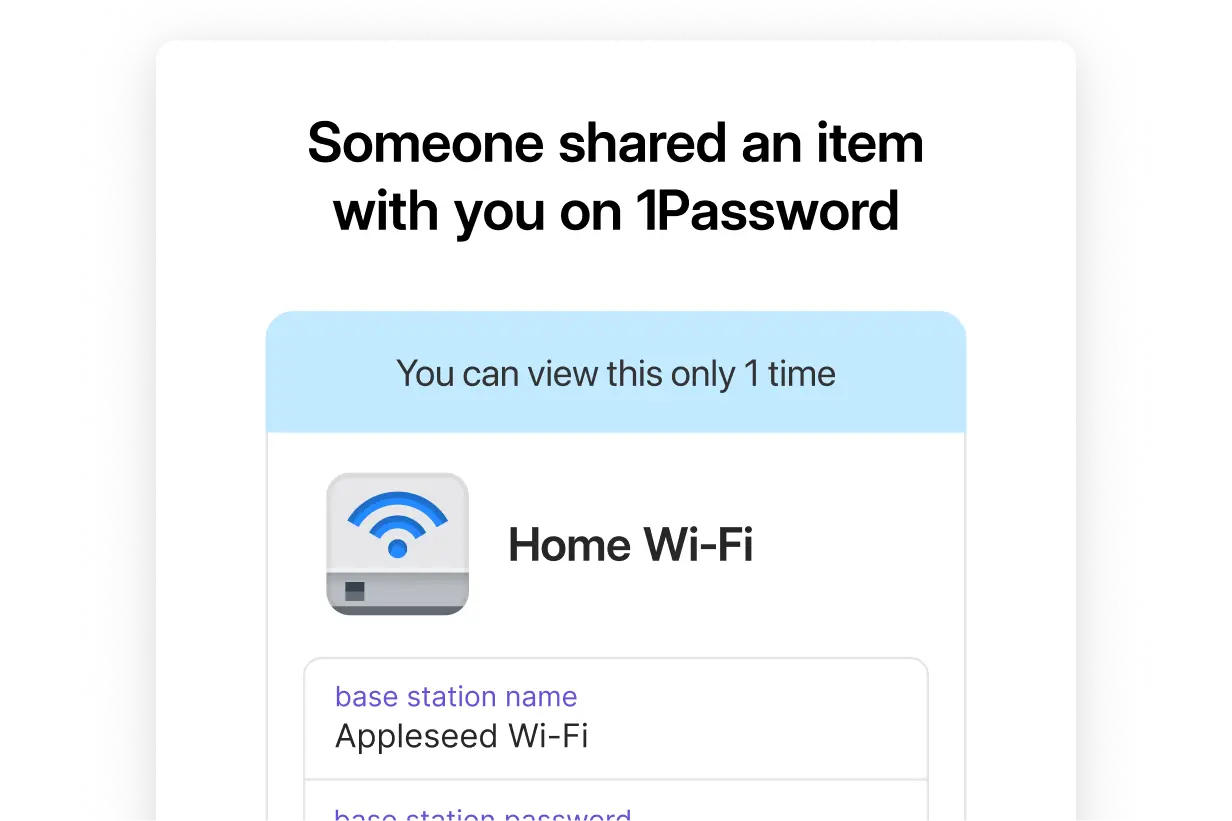
Traditionally, sharing a Wi-Fi password, streaming login, or corporate software key with a family member or contractor required insecure SMS texts or email. 1Password's Item Sharing allows you to generate a secure, temporary web link with customizable expiration parameters (e.g., expires after 1 view, 1 hour, or 14 days) and optional email-based recipient verification.
E. Developer Tools & Command-Line Interface (CLI)
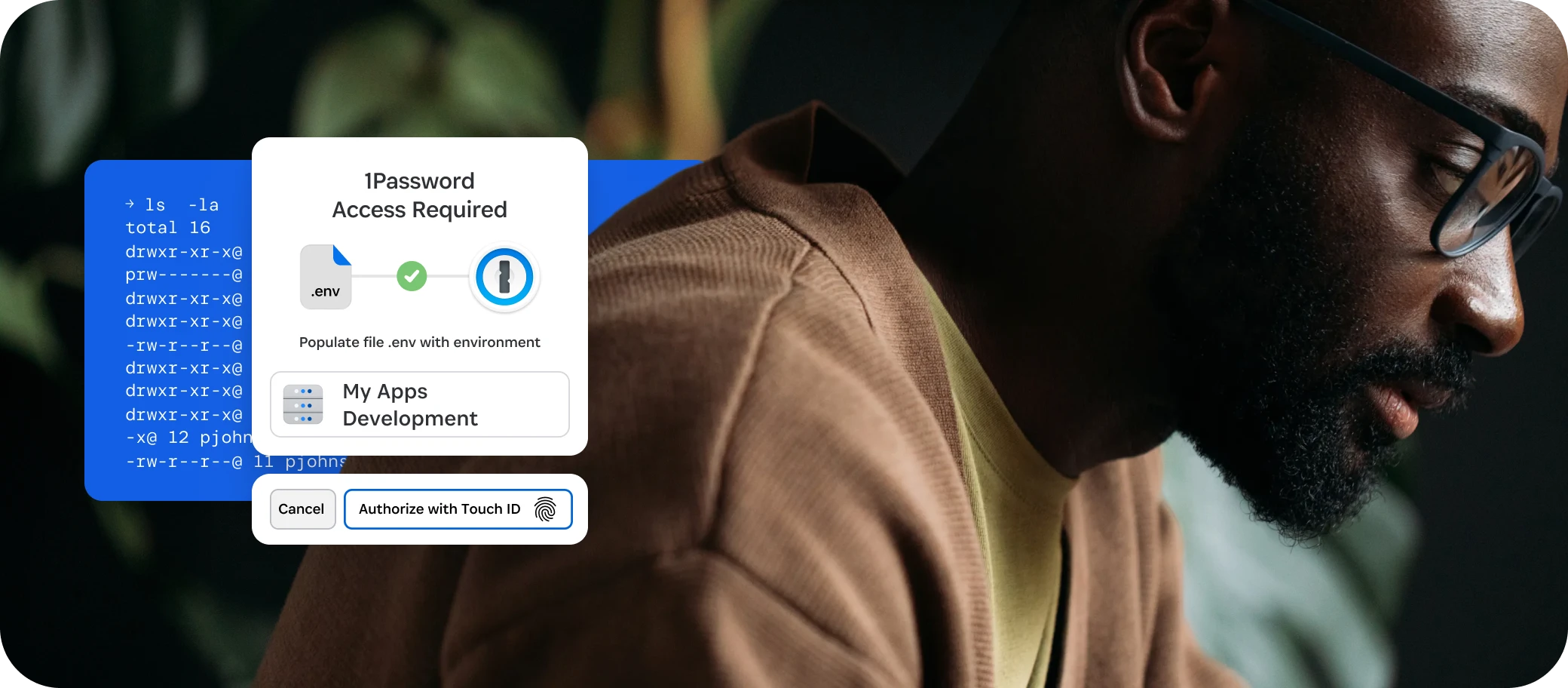
For software developers, DevOps engineers, and system administrators, 1Password represents far more than a consumer credential organizer. The 1Password CLI (op) integrates directly with terminal environments, Git, SSH, and Docker workflows. You can store your SSH keys, API tokens, AWS credentials, and environment variables securely inside 1Password vaults and inject them into production deployment scripts without hardcoding plaintext secrets in repository files.
4. Competitive Comparison Matrix
How does 1Password compare against its primary competitors in the 2026 password management landscape?
| Security Feature | 1Password | Bitwarden | NordPass | Apple Keychain |
|---|---|---|---|---|
| Dual-Key Secret Key | ✓ Yes (128-bit) | ✗ No (Master only) | ✗ No (Master only) | ✗ No (Apple ID only) |
| Cross-Platform Passkeys | ✓ Full Cross-OS | ✓ Supported | ✓ Supported | ✗ Apple ecosystem only |
| Travel Mode Vault Purge | ✓ Exclusive | ✗ No | ✗ No | ✗ No |
| Developer SSH & CLI Agent | ✓ Industry Best | ✓ Basic CLI | ✗ No | ✗ No |
| Temporary Item Sharing Links | ✓ Yes (Self-destructing) | ✓ Bitwarden Send | ✗ Basic sharing | ✗ AirDrop only |
| Starting Annual Price | $2.99/mo | $0.83/mo (Premium) | $1.69/mo | Free (Hardware tied) |
5. Honest Pros & Cons
Advantages & Strengths
- Unmatched Dual-Key Architecture: The 128-bit Secret Key ensures complete server breach immunity.
- Flawless Passkey Implementation: Store, sync, and use passkeys seamlessly across Windows, Mac, iOS, and Android.
- Proactive Watchtower Intelligence: Immediate alerts for weak, reused, or compromised passwords and 2FA opportunities.
- Polished User Interface: Beautiful, intuitive desktop and mobile applications with lightning-fast biometric unlock.
- World-Class Developer Support: Native SSH key agent, CLI secret injection, and biometric terminal authentication.
- Generous Family Plan: 1Password Families covers up to 5 members with private vaults and shared vaults for $4.99/mo.
Potential Drawbacks
- No Permanent Free Tier: 1Password offers a risk-free 14-day trial, but requires a paid subscription afterward.
- Secret Key Recovery Requirement: If you lose both your Master Password and your Secret Key PDF, AgileBits cannot reset your account.
- Desktop App Powered by Electron: While extremely fast and responsive, memory usage is slightly higher than native Cocoa/Win32 utilities.
6. Pricing & Value Assessment (2026)
1Password keeps its licensing transparent and straightforward with zero hidden upgrade charges or artificial item caps:
- 1Password Individual ($2.99/month, billed annually): Unlimited passwords, passkeys, credit cards, and secure notes across unlimited devices, 1GB encrypted document storage, Watchtower alerts, and 24/7 customer support.
- 1Password Families ($4.99/month, billed annually): Complete protection for up to 5 family members. Each member receives their own private vault plus shared family vaults, granular access permissions, and account recovery assistance. Additional members can be added for $1/month each.
- 1Password Teams Starter Pack ($19.95/month): Dedicated enterprise collaboration for up to 10 team members with role-based access controls and admin dashboard.
- 1Password Business ($7.99/user/month): Custom security policies, Okta/Azure AD SSO integration, automated provisioning via SCIM, and free 1Password Families accounts for every employee.
Editor's Final Verdict: 4.9 / 5.0
EDITOR'S CHOICE 20261Password remains the uncontested gold standard in personal and organizational credential security. While free alternatives like Bitwarden or browser keychains exist, none match 1Password's harmonious union of military-grade Dual-Key cryptography, fluid cross-platform passkey syncing, polished native UX, and developer-first terminal utilities.
For anyone seeking bulletproof protection against modern cyber threats without sacrificing daily convenience, 1Password is an essential software investment.
Frequently Asked Questions
What happens if I lose my 1Password Secret Key?
Because 1Password is built on zero-knowledge architecture, AgileBits cannot recover your account if you lose both your Master Password and Secret Key. You should print or store your Emergency Kit PDF in a secure physical location (such as a fireproof safe) or configure Family/Team recovery contacts.
Can I import my data from Google Chrome, Apple Keychain, or LastPass?
Yes. 1Password features intuitive one-click importers for Chrome, Safari, Firefox, Edge, Bitwarden, LastPass, Dashlane, KeePass, and standard CSV files. The import process preserves folders, tags, credit cards, and notes accurately.
Does 1Password work offline without an active internet connection?
Yes. 1Password stores an encrypted local cache of your vaults on every authorized device. You can view, search, copy, and create logins completely offline. Any changes sync automatically once internet connectivity is restored.
Is 1Password safe from cloud server breaches?
Yes. Even in the theoretical scenario where 1Password's cloud databases were compromised, attackers would only obtain ciphertext encrypted with 256-bit AES-GCM and derived with your 128-bit Secret Key. Without your physical device key, your data cannot be decrypted.